

CALL US SATURDAYS
9 am – 11 am Pacific
775-241-3571
Click for More Info
BBT from 2020

Has High Quality Stereo Recordings
 Breakmaster Cylinder composed and performs our theme music.

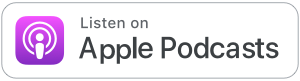




Getting Fancy with Stupid Pop-ups
This week on Battle Born Tech, our callers get into the zone and battle stupid pop-ups. Diane struggles to find her screen under notices from “McAfee”. We set our browsers to don’t ask, don’t shill.
Joan is locked in the Windows store with her new computer. We look at S mode, Smart Screen and Smart App control.
Esteban wants to have certain apps in specific windows on this screen. Fancy Zones from Powertoys helps him with he decorating.
See last week for more on our caution that old browsers with old insecure ways of code talking are not welcomed on today’s secure websites. (the “s” in https://)
We are in the studio Saturdays 9 am to 11 am Pacific. Call direct to studio then or anytime at 775-241-3571 and set up a time to battle your tech!
“Diane with so many problems on her computer.”
“Probably your browser is probably to blame”
“With much imagination, does it look like a wave?”
“Do you know what S mode stands for?”
“That was a better answer than mine.”
“Parallel Skunk Works”
“BBT Link with a dot between the L and the i-n-k (for the latest) https://bbtl.ink/stats”
“It’s a little geeky not too much. You can handle it.”
“Store, Secure, Security Scary, Stupid, Store, School, Strict, Safe, Simple, Streamlined, Sandboxed, or Stifling”
BATTLE PLANS
Browser HiJack
A browser hijack occurs when a malicious web page forcibly takes over your browsing experience without your consent, using tricks like looping pop-up dialogs, fake virus warnings, or fullscreen mode to trap you. The goal is to panic you into calling a fake support number or downloading malware. If it happens, force-close the browser with Alt+F4 (Windows) or Cmd+Q (Mac) — and never call any phone number shown on the page.
TLS
Stands for “Transport Layer Security.” TLS is a data encryption technology that provides secure data transfers from websites to users. Older computers with older browsers containing no longer secure cryptographic suites cannot access current websites since TLS has been updated.
Power Toys
A free suite of utility tools built by Microsoft to give power users greater control over their Windows experience. PowerToys was never an independent company, it has always been a side project developed internally at Microsoft, originally dating back to the Windows 95 era. The suite includes handy tools like FancyZones for custom window layouts, PowerRename for bulk file renaming, a color picker, a keyboard remapper, and many more.
Tuesdays 8 PM Pacific 95.1 FM
Streaming LIVE and on-demand at KNVC.ORG

775-241-3571 or [email protected]